
If you have been in technical SEO long enough, you know the frustration. You identify a hundred issues across a client’s site, you write the brief, and then someone has to manually fix every single one. Title tags. Internal links. Schema markup. Canonical tags. The fixes are not complicated. They are just endless. And that gap between audit and execution is exactly where SEO campaigns stall.
Claude Code is Anthropic’s AI-native CLI tool that changes that equation. Not by replacing your SEO judgment, but by closing the gap between identifying a problem and actually fixing it. This post is a practical implementation guide for SEO specialists who want to wire Claude Code directly into WordPress, automate the tedious technical layer, and spend more time on strategy.
Why Technical SEO Is Still the Bottleneck
Search algorithms have matured. The basics are well-documented. Everyone knows titles should be 50 to 60 characters, pages need a single H1, schema should match content type. Yet audits routinely surface the same structural issues site after site. Not because SEOs do not know what to fix, but because implementation is slow.
The typical workflow looks like this:
- Run an audit using Screaming Frog, Ahrefs, or your own crawler
- Export a spreadsheet of issues
- Brief a developer or upload fixes manually via WP Admin
- Wait
- Verify, find regressions, repeat
At a small site this is annoying. At enterprise scale it becomes a project management nightmare. The real constraint is not knowledge. It is execution velocity.
Most automation attempts stall at the code generation step. You might ask ChatGPT for a PHP snippet or use a no-code tool to push meta tags, but you are still manually assembling the pieces. Claude Code is different because it operates as an autonomous coding agent. It reads your codebase, writes scripts, runs them, evaluates the output, and iterates. You stay in the loop for decisions, not for grunt work.
What Is Claude Code (From an SEO Perspective)
Claude Code is Anthropic’s official CLI tool that runs Claude directly in your terminal or development environment. Unlike a chat interface, it has persistent access to your file system, can execute shell commands, read and edit code, and chain multi-step tasks autonomously.
For SEO work, this means:
- Script generation on demand. You say “Write a Node.js script that reads a Screaming Frog CSV and pushes corrected meta descriptions to WordPress via REST API” and it produces a working script, not pseudocode.
- Audit interpretation. Feed it raw crawl data and get a prioritized, actionable fix list, not a generic checklist.
- Workflow automation. Chain crawl, analyze, generate fixes, and deploy without switching tools.
- Memory across sessions. With a CLAUDE.md project file, it retains context about your site architecture, past fixes, and client preferences.
Compare that to typical SEO tools. Screaming Frog finds issues. Ahrefs tracks rankings. RankMath manages on-page meta. But none of them close the loop from identifying a problem to deploying the fix. Claude Code operates at that layer.
Core Use Cases in WordPress Technical SEO
1. Automated Technical Audits
Claude Code can run a full technical audit by crawling your WordPress site via HTTP or the REST API, flagging broken links, duplicate titles, missing metas, thin content, canonical mismatches, and noindex conflicts. The key difference from a standalone crawler is that Claude interprets the data and writes implementation-ready fix scripts alongside the report.
2. Schema Generation at Scale
Manually writing JSON-LD for 50 service pages is the kind of work that gets deprioritized indefinitely. Claude Code can read each page’s content, infer the correct schema type (Service, FAQPage, Article, Person), generate valid JSON-LD, and inject it into WordPress via RankMath’s schema fields. All in one pass.
3. Internal Linking Automation
Internal link building is arguably the highest-ROI technical SEO task that almost nobody does at scale. Claude Code can crawl your existing content, build a topic cluster map, identify orphaned pages, and inject contextually relevant anchor-text links into your Elementor or Gutenberg content. Scripts are idempotent, so running them again will not create duplicates.
4. Meta Generation and Optimization
With RankMath’s REST API available, Claude Code can read every page’s content, generate on-brand, keyword-targeted title tags and meta descriptions within spec, and push them in bulk via the /wp-json/rankmath/v1/updateMeta endpoint.
5. Crawl Optimization and Dead Link Cleanup
Identify 4xx URLs, trace them back to their source across Elementor data and post content, remove or patch the broken references, and create RankMath 301 redirects where needed. All without touching the WordPress dashboard.
Step-by-Step: Setting Up Claude Code for WordPress
Step 1: Install Claude Code and Set Up API Access
Install Claude Code globally via npm:
npm install -g @anthropic-ai/claude-codeThen run the login command:
claudeThis opens a browser-based login to your Anthropic account. Once authenticated, your API key is stored securely in your local config. You never paste it into code.
Screenshot needed here: Anthropic Console showing the API Keys section with a newly created key. The key value should be masked. Caption: Generating API credentials inside the Anthropic Console. Always store your key as an environment variable and never commit it to version control.
Security note: If you are integrating Claude via API in n8n or custom scripts, store your key as an environment variable and never hardcode it:
# .env file - add to .gitignore immediately
ANTHROPIC_API_KEY=YOUR_API_KEY_HERE
WP_URL=https://yoursite.com
WP_USER=your_wp_username
WP_PASS=YOUR_APPLICATION_PASSWORD
For WordPress authentication, use Application Passwords (WP Admin, then Users, then Profile, then Application Passwords). These are scoped, revocable credentials that are safer than using your main login password.
Step 2: Create Your Project Context File
The CLAUDE.md file is what makes Claude Code project-aware. Create one in your project root and fill it with everything Claude needs to know about the site:
# Project: [Client Site] SEO Automation

## Site
- URL: https://yoursite.com
- CMS: WordPress + Elementor + RankMath
- Cache: LiteSpeed (manual purge required after updates)
- WP Auth: Application Password via WP REST API

## SEO Stack
- Titles: 50-60 chars
- Meta descriptions: 140-160 chars
- Schema: Person (homepage), Article (blog), Service (service pages)
- Internal link strategy: hub-and-spoke, blog to service pages

## Known Constraints
- Elementor pages: update via _elementor_data, NOT content.raw
- RankMath meta: use /wp-json/rankmath/v1/updateMeta endpoint
- After any update: manually purge LiteSpeed Cache
With this file in place, every Claude Code session starts with full context. You stop re-explaining the same stack constraints each time.
Step 3: Run Your First Automated Audit
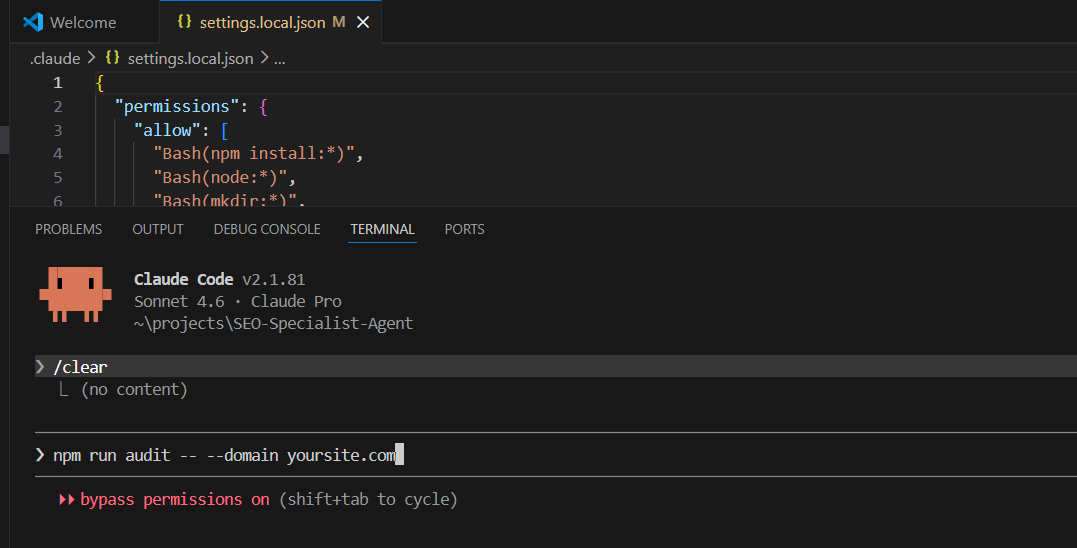
From the project root, trigger the audit:
npm run audit -- --domain yoursite.comIf you are building from scratch, here is the core crawler pattern that Claude Code generates and extends for your stack:
// crawler.mjs - simplified example
import axios from 'axios';
import * as cheerio from 'cheerio';

async function crawlPage(url) {
  const { data } = await axios.get(url);
  const $ = cheerio.load(data);

  return {
    url,
    title: $('title').text().trim(),
    metaDescription: $('meta[name="description"]').attr('content') || '',
    h1Count: $('h1').length,
    h1Text: $('h1').first().text().trim(),
    canonical: $('link[rel="canonical"]').attr('href') || '',
    noindex: /noindex/i.test($('meta[name="robots"]').attr('content') || ''),
    internalLinks: $('a[href]').map((_, el) => $(el).attr('href')).get()
      .filter(h => h.startsWith('/') || h.includes('yoursite.com')),
  };
}
The audit agent processes this crawl data through the AI model, producing a structured issue list with severity ratings and ready-to-apply copy fixes.
Step 4: Connect to WordPress via REST API
All WordPress updates flow through the REST API. Here is the core pattern for pushing RankMath meta at scale:
// fix-meta.mjs
import axios from 'axios';
import dotenv from 'dotenv';
dotenv.config();

const { WP_URL, WP_USER, WP_PASS } = process.env;
// Credentials loaded from .env - never hardcoded
const auth = Buffer.from(WP_USER + ':' + WP_PASS).toString('base64');
const headers = {
  Authorization: 'Basic ' + auth,
  'Content-Type': 'application/json'
};

async function updatePageMeta(pageId, title, description) {
  await axios.post(WP_URL + '/wp-json/rankmath/v1/updateMeta', {
    objectType: 'post',
    objectID: pageId,
    meta: {
      rank_math_title: title,
      rank_math_description: description,
    }
  }, { headers });
  console.log('Updated meta for page ' + pageId);
}

// Generated from audit output - run against your full page list
const updates = [
  { id: 13,  title: 'Your Homepage Title | Brand',
    description: 'Your 140-160 char meta description.' },
  { id: 597, title: 'About | Brand',
    description: 'About page meta description.' },
];

for (const page of updates) {
  await updatePageMeta(page.id, page.title, page.description);
}
Screenshot needed here: WordPress Admin, Users, Profile page showing the Application Passwords section with a generated entry labeled “SEO Automation Script.” The actual password should be masked. Caption: Create a dedicated Application Password per integration so you can revoke access independently without touching your main account.
Automation Workflows: High-Leverage Implementations
Workflow 1: Audit, Fix, Deploy (End-to-End)
This is the core loop. Here is the full step breakdown:
- Crawl. The HTTP crawler visits all indexed pages and extracts title, meta, H1, canonical, robots, word count, and internal links.
- Analyze. The AI model receives structured crawl JSON and returns a prioritized issue list with severity ratings and suggested copy fixes.
- Generate fixes. For each issue, the fix script produces corrected values including new titles, meta descriptions, schema blocks, and redirect rules.
- Deploy. Scripts push updates via WP REST API. RankMath meta goes through the meta endpoint. Elementor pages are patched via _elementor_data. Standard Gutenberg content uses the regular post update endpoint.
- Verify. Re-crawl affected URLs, compare before and after, and log all changes to a timestamped JSON report.
// orchestrator.mjs - simplified flow
async function runAuditAndFix(domain) {
  // Step 1: Crawl
  const pages = await crawlSite(domain);

  // Step 2: Analyze with AI
  const issues = await analyzeWithAI(pages);

  // Steps 3 and 4: Generate and deploy fixes
  for (const issue of issues.filter(i => i.autoFixable)) {
    await deployFix(issue);
  }

  // Step 5: Save timestamped report
  await saveReport(domain, issues);
}
Workflow 2: Internal Linking Automation
This is where automation delivers outsized ROI. Here is the logic:
- Build a keyword-to-URL map from all published pages and posts
- For each piece of content, identify natural mentions of target keywords that are not already linked
- Inject anchor tags around the first unlinked mention per keyword per page
- For Elementor pages, patch the relevant text-editor widget in the _elementor_data field
- For Gutenberg or classic posts, update content.raw via the WP REST API
// inject-internal-links.mjs - idempotent link injection
function injectLink(content, keyword, url) {
  // Skip if already linked to this URL on this page
  const alreadyLinked = new RegExp('href=["\']' + url + '["\']').test(content);
  if (alreadyLinked) return content;

  // Match first unlinked occurrence of keyword
  const pattern = new RegExp(
    '(?<![^>]*?)\\b(' + escapeRegex(keyword) + ')\\b(?![^<]*>)', 'i'
  );
  return content.replace(pattern, '<a href="' + url + '">$1</a>');
}
Run this script weekly as you publish new content. It builds your internal link graph incrementally without any manual effort.
Want to see how this plays out on a live site? Browse our automation case studies — real-world examples of internal link injection, schema deployment, and bulk meta updates in production.
Workflow 3: Broken Link Detection and Repair
- Crawl all internal links site-wide and collect unique URLs
- Send a HEAD request to each URL and flag anything returning 4xx
- For each 404, find all pages that link to it
- Auto-remove links to confirmed dead resources
- Flag ambiguous cases (pages that may have moved) for human review before acting
Workflow 4: Meta Generation at Scale
Claude does not just fix existing values. It generates from scratch. For a 50-page service site with no meta descriptions, this pattern processes every page in minutes:
// generate-meta.mjs
import Anthropic from '@anthropic-ai/sdk';

// API key loaded from environment - never hardcoded
const client = new Anthropic({ apiKey: process.env.ANTHROPIC_API_KEY });

async function generateMeta(pageTitle, pageContent, targetKeyword) {
  const message = await client.messages.create({
    model: 'claude-opus-4-6',
    max_tokens: 256,
    messages: [{
      role: 'user',
      content: [
        'Write an SEO meta description for this page.',
        'Target keyword: ' + targetKeyword,
        'Page title: ' + pageTitle,
        'Content excerpt: ' + pageContent.slice(0, 500),
        '',
        'Requirements:',
        '- 140-160 characters exactly',
        '- Include the target keyword naturally',
        '- Clear value proposition, no clickbait',
        '- Return ONLY the meta description, no explanation.'
      ].join('\n')
    }]
  });
  return message.content[0].text.trim();
}
Real Example: Full Workflow in Action
Here is a concrete scenario. A WordPress freelance portfolio with 15 service pages, all missing meta descriptions, three broken internal links pointing to deleted page IDs, and no schema on the blog post.
Step 1: Crawl the site. The crawler visits all pages and extracts structured data per URL. Output is a site-audit.json file with per-page metrics including title, meta, H1, canonical, internal links, and status codes.
Step 2: Identify issues. The AI analyzes the JSON. Findings in this case are 15 missing metas, 3 broken links pointing to deleted pages via ?page_id= parameters, a blog post missing Article schema, and a homepage title that is 2 characters over spec.
Step 3: Generate fixes. For each page with a missing meta, Claude reads the page content and generates a keyword-targeted description within spec. Output is a meta-fixes.json file with page ID to new description mappings. For broken links, the script identifies the three menu item IDs and queues them for deletion.
Step 4: Push to WordPress. The deploy script iterates through meta-fixes.json, calls the RankMath meta endpoint for each page, then calls the menu-items endpoint to delete the three dead links. Every change is logged with timestamps and page IDs.
Step 5: Re-audit to verify. A second crawl confirms zero missing metas, zero broken links, and flags the homepage title for a manual 2-character trim.
Screenshot needed here: An n8n workflow canvas showing a sequence of labeled nodes: Schedule Trigger, HTTP Request for crawl, Code node for parsing issues, HTTP Request to Claude API, Loop Over Items, HTTP Request to WordPress REST API, and a Set node for logging results. Caption: The complete audit-to-deploy pipeline running inside n8n. Each node handles one step and can be debugged or modified independently.
Handling Sensitive Data
Working with APIs at this level means handling credentials that could compromise a client’s entire site if exposed. The security layer is non-negotiable.
API Key Storage
- Always store API keys in .env files and never in source code
- Add .env to .gitignore on day one, before your first commit
- For team environments, use a secrets manager like AWS Secrets Manager, Doppler, or 1Password Secrets Automation
- In n8n, use the built-in Credentials system. Keys are encrypted at rest and stripped from all workflow exports automatically.
WordPress Application Passwords
- Create a dedicated Application Password per integration, not one shared credential for everything
- Name them descriptively, for example “SEO Automation Script, March 2026,” so you know exactly what to revoke and when
- Application Passwords cannot be used to log in to WP Admin. They are API-only by design, which limits the damage if one gets exposed.
- Rotate credentials quarterly or whenever a team member’s access is removed
Logs and Output Files
- Audit output JSON files may contain full page content. Treat them as confidential when working with client sites.
- Add data/outputs/ to .gitignore so audit reports never end up in version control
- In production scripts, log only status codes and object IDs. Never log full API responses or page content.
# .gitignore - minimum for any SEO automation project
.env
data/outputs/
data/uploads/
*.log
node_modules/
Pros, Limitations, and Risks
Where Automation Wins
- Bulk meta generation. 50 pages in 5 minutes instead of 5 hours of manual work.
- Consistency at scale. Every title follows spec, every meta hits the character window, and there are no human errors from late-night copy-paste sessions.
- Regression detection. Re-audit after every plugin update or theme change and catch accidental noindex tags before Google recrawls.
- Internal linking velocity. Your link graph grows continuously as you publish new content without any manual coordination.
Where Human SEO Is Still Required
- Keyword strategy. Claude generates meta descriptions, but you decide which keyword to target. Bad strategy input means bad output deployed at scale.
- SERP intent analysis. Distinguishing navigational, informational, and transactional intent requires looking at real SERPs and understanding user context.
- Content quality judgment. E-E-A-T assessment, topical authority signals, and brand voice all require a human eye before publication.
- Client strategy and communication. Automation handles execution. Prioritization, reporting, and expectation-setting stay in the human layer.
Risks of Over-Automation
- Propagating bad inputs at scale. If keyword targeting is wrong, automation deploys the mistake across 50 pages at once. Always review a 5-page sample before running bulk deploys.
- Cache blindspots. On LiteSpeed or Cloudflare-cached sites, deployed changes will not be visible until the cache clears. Build a cache purge step into every workflow.
- Elementor data corruption. Patching the _elementor_data JSON field incorrectly breaks page rendering silently. Validate JSON structure before saving and keep a backup of the original value.
- Anchor text over-optimization. Automated internal linking at scale can create repetitive anchor text patterns. Vary your anchor text and set a cap on link density per page.
Best Practices for Scaling
Build Idempotent Scripts
Every automation script should be safe to run multiple times without creating duplicates or stacking changes on top of each other. Before injecting an internal link, check if it already exists. Before updating a meta description, compare the proposed value to the current one and skip if they match. Log what changed and skip what did not.
Stage Before You Scale
Run every new automation against 3 to 5 pages first. Review the output manually in a browser. Only then run it across the full site. A 5-page test costs you 5 minutes. A bad 50-page bulk run can cost you a crawl budget hit, ranking disruptions, and hours of rollback work.
Version Control Everything
Keep all automation scripts in a git repository. Every deploy script, every crawl parser, every schema template. This gives you a precise record of what changed when, which is invaluable when a ranking drops and you need to trace it back to a specific site modification.
Combine AI Output with Spot-Check Review
The most effective workflow is AI generates, you spot-check, scripts deploy. For a 100-page meta generation run, review 10 outputs at random before deploying all 100. You are not reviewing everything. You are sampling the distribution for quality. This keeps output quality high without recreating the manual bottleneck you just automated away.
Monitor Post-Deployment
Automate verification as rigorously as you automate deployment. After every bulk change, re-crawl the affected URLs and diff the before and after. Connect your Google Search Console data to track impressions and clicks in the 2 to 4 weeks following each major automation run.
For more on picking the right automation tool for your SEO stack, read: n8n vs Zapier vs Make: Which Automation Tool Fits Your Workflow
Working With a Philippines-Based Technical SEO Specialist
The workflows described in this post are not hypothetical. I use this exact stack — Claude Code, the WordPress REST API, Node.js scripts, and Elementor data patching — to manage SEO automation for clients across the Philippines. If you need someone who can both build the automation pipeline and execute the SEO strategy behind it, that is the service I offer.
Currently working with clients in:
- Automation Specialist in Cebu
- Automation Specialist in Manila
- Automation Specialist in Davao
- Automation Specialist in Iloilo
- Automation Specialist in Cagayan de Oro
- Automation Specialist in Bacolod
Not sure where to start? Book a free strategy call — I’ll audit your site, identify your highest-leverage automation opportunity, and give you a clear implementation roadmap.
Conclusion: Execution Speed Is the New SEO Moat
The technical SEO fundamentals have not changed. Titles, metas, canonicals, schema, internal links. These have mattered for a decade and will continue to matter. What is changing is the cost of execution.
Two years ago, automating a full audit-to-deploy pipeline required a developer, a week of setup, and significant ongoing maintenance. Today, Claude Code can scaffold that pipeline in an afternoon, adapt it to your specific CMS stack, and run it reliably across hundreds of pages. The SEO practitioners who build these workflows early will have a structural execution advantage over those still doing it manually.
The ceiling for this approach is still being defined. Schema injection, internal link graphs, meta optimization. These are the solved problems. The next wave is real-time SEO response: detecting ranking shifts, identifying the technical root cause, generating and deploying a fix, all within the same day Google surfaces the signal in Search Console. That is not science fiction. With the stack described in this post, it is an afternoon’s worth of setup.
Start with one workflow. Pick the highest-volume manual task in your current process, most likely meta generation or internal linking, and automate it completely. Measure the time saved. Then build the next one.
The bottleneck was never knowledge. It was always execution.
Ready to build this for your site? Book a free strategy call — I’ll help you identify the right starting point and get your first automation workflow running within a week.